

Mastering Microsoft Copilot Studio From Custom Agent Development to M365 Extensibility
Date:
11th March 2026
Time:
9:00am – 5:00pm
Cost:
Free of Charge (FOC)
Mode:
VILT (Live Virtual)
Trainer:
Richard Doraisamy
Prerequisites: Familiarity with Microsoft 365 and basic data concepts.

Who Should Attend This Course?
This event is designed for business and IT professionals who want to understand how to build and integrate AI agents without writing code. It is ideal for:
Business Analysts & Process Owners looking to automate workflows.

IT Admins & Managers overseeing Microsoft 365 governance and AI strategy.

Citizen Developers (Power Platform users) wanting to expand into AI.

Innovation Leads evaluating the difference between custom bots and M365 extensions.
In short:
If you are responsible for improving organizational productivity using the Microsoft AI stack—regardless of your technical background—this course is for you.
MORNING SESSION
Building Custom Agents
| Time | Duration | Module Title and Topics |
|---|---|---|
| 09:00 – 10:00 AM | 1 hour | Module 1: Introduction & Environment Setup |
| 10:15 – 11:30 AM | 1 hour 15 minutes | Module 2: Conversational Design & Topic Logic |
| 11:30 – 12:30 PM | 1 hour | Module 3: Data Management & Entities |
| 12:30 – 13:30 PM | 1 hour | Lunch Break |
Module 1: Introduction & Environment Setup
Understanding the difference between standalone custom agents and Microsoft 365 Copilot extensions.
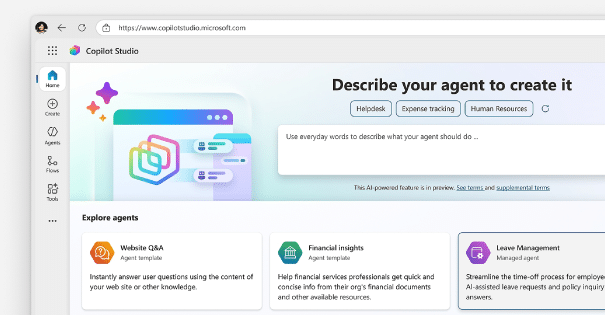
Navigating the Copilot Studio portal, environments, and licensing overview.
Module 2: Conversational Design & Topic Logic
Module 3: Data Management & Entities
AFTERNOON SESSION
Powering Up & Extending M365
| Time | Duration | Module Title and Topics |
|---|---|---|
| 13:30 – 14:30 PM | 1 hour | Module 4: Enhancing Agents with Actions |
| 14:45 – 16:00 PM | 1 hour 15 minutes | Module 5: Extending Microsoft 365 Copilot |
| 16:00 – 17:00 PM | 1 hour | Module 6: Actions, Connectors & Governance |
| 17:00 PM | – | End of Event |
Module 4: Enhancing Agents with Actions
Utilizing organizational data for contextual responses.
Module 5: Extending Microsoft 365 Copilot
Adding specific enterprise knowledge (SharePoint, OneDrive) to a declarative agent.
Module 6: Actions, Connectors & Governance
- Prompt Actions: Creating custom LLM instructions for specific business tasks.
- Connector Actions: Using pre-built or custom connectors to fetch real-time external data.
Best practices for deploying extensions to Microsoft 365, managing permissions, and analyzing agent performance.
Choosing between a standalone custom copilot (PL-7008) and an M365 extension (MS-4022) for different business scenarios.
Key Takeaways for Attendees:
What you’ll walk away with after a full day of hands-on learning in Copilot Studio.

Understand the Engine
Deep conceptual knowledge of how Copilot Studio processes natural language.
Logic Mastery
Learn to architect complex conversation flows using topics and entities.

Extensibility Strategy
Know exactly how to connect Copilot to external data and internal M365 workflows.
No-Code Proficiency
Visualize how to build sophisticated AI assistants without writing a single line of code.

Richard Doraisamy
Speaker of the Day
A seasoned learning and development leader with over 20 years of global experience in driving enterprise upskilling, technical enablement, and organizational transformation.
Recognized for blending technical depth with consultative delivery, Richard has led large-scale AI, cloud, and Copilot adoption programs for multinational clients, achieving measurable productivity gains and early adoption success across industries.
With a strong track record in managing training strategy, content development, and enterprise delivery, he is passionate about empowering professionals and organizations to unlock the full value of Microsoft technologies.
Register Now
Certificate of completion will only be provided to attendees who stay till the end and complete the feedback form.

